
Best Laptops for College Students of 2026
We ranked laptops for college on performance, battery life, build quality, and value for every major.
Filter Results
Filter Results
Showing 5 of 5 results
- 1
9.6
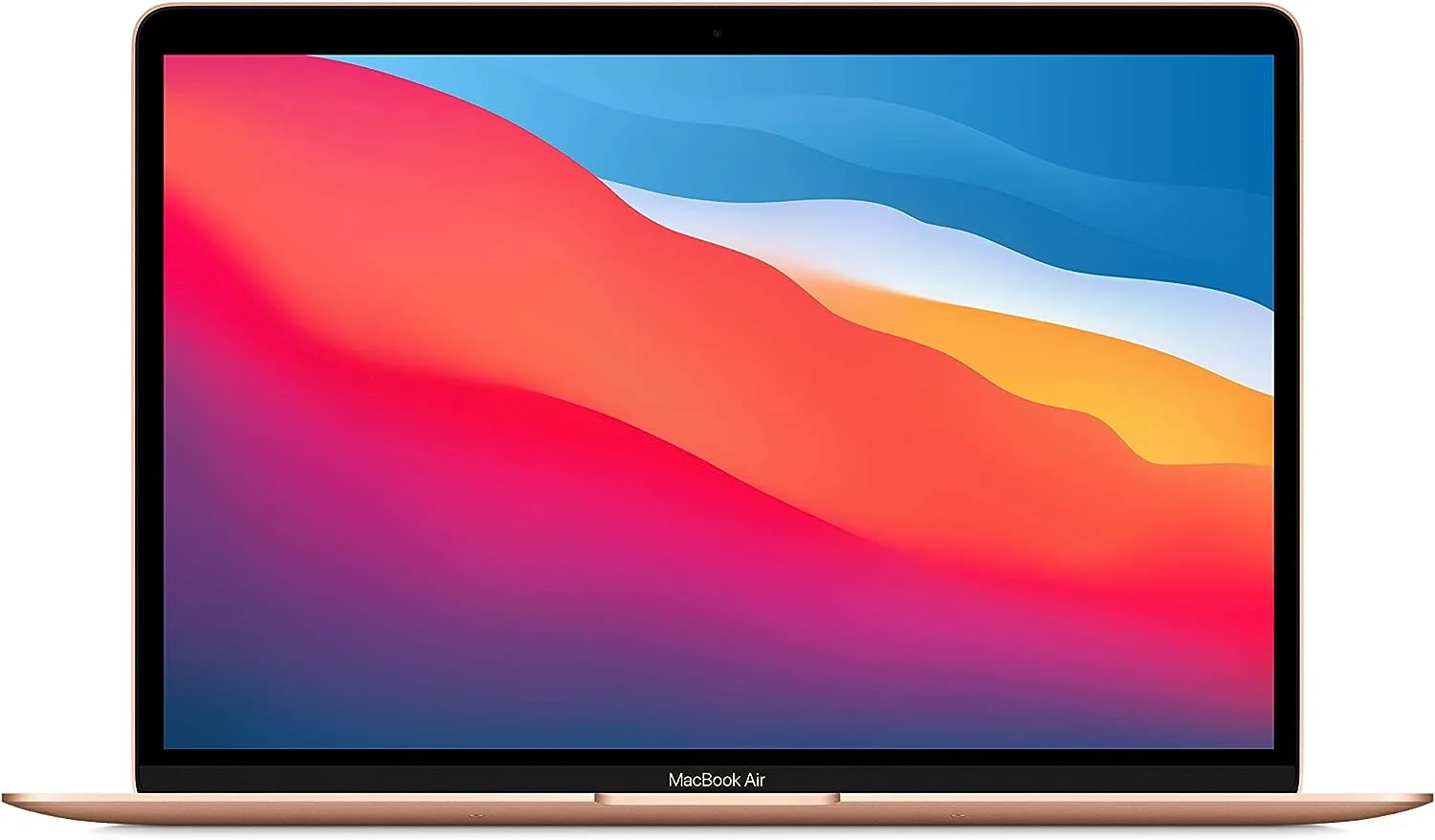
Best Overall$1,099Best Overall
Best Overall
$1,099at Amazon
- M3 chip crushes college workloads with extraordinary efficiency
- 18-hour battery — survives a full day of back-to-back classes
The ultimate college laptop for almost everyone
The MacBook Air M3 is the laptop we recommend to most college students regardless of major. The M3 chip's combination of speed and efficiency produces all-day battery life, silent fanless operation, and performance that handles everything from Photoshop to light coding.
Read the full MacBook Air M3 review →Pros
- M3 chip crushes college workloads with extraordinary efficiency
- 18-hour battery — survives a full day of back-to-back classes
- Can now drive two external displays simultaneously
Cons
- Only 2 Thunderbolt ports on base model
- 8GB RAM on base config can feel tight for power users
Score Breakdown
Safety9.3Value8.7Ease9.9Quality9.8Specs
- Processor
- Apple M3
- Ram
- 8GB–24GB
- Storage
- 256GB–2TB SSD
- Display
- 13.6-inch Liquid Retina
- Battery Life
- 18 hours
- Weight
- 2.7 lbs
- 2
9.2
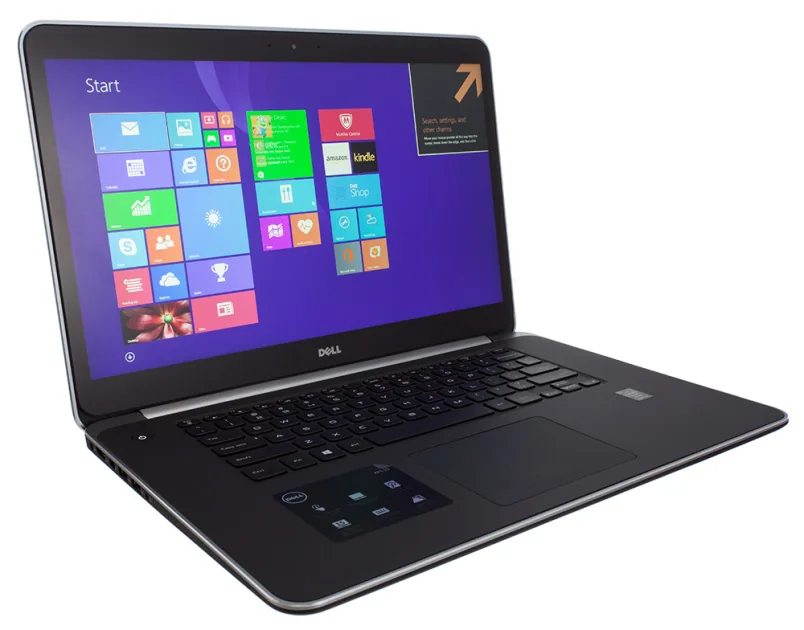
$1,499Best for Power Users
Best for Power Users
$1,499at Amazon
- OLED display is exceptional for media, design, and engineering work
- Core Ultra + dedicated Nvidia GPU handles anything
The powerhouse Windows laptop for demanding majors
For computer science, engineering, architecture, or media students who need real power, the Dell XPS 15 is the Windows answer to the MacBook Pro. Its OLED display is class-leading for creative work, and the Core Ultra processor handles demanding software without flinching.
Read the full Dell XPS 15 review →Pros
- OLED display is exceptional for media, design, and engineering work
- Core Ultra + dedicated Nvidia GPU handles anything
- Premium build quality that survives years of college use
Cons
- Battery life (8–10 hrs) shorter than MacBook Air M3
- Heavier at 4.2 lbs — not ideal for very light travel
Score Breakdown
Safety9.0Value8.5Ease8.9Quality9.4Specs
- Processor
- Intel Core Ultra 9
- Ram
- 16GB–64GB
- Storage
- 512GB–2TB SSD
- Display
- 15.6-inch OLED 3.5K
- Battery Life
- 8–10 hours
- Weight
- 4.2 lbs
- 3
8.9
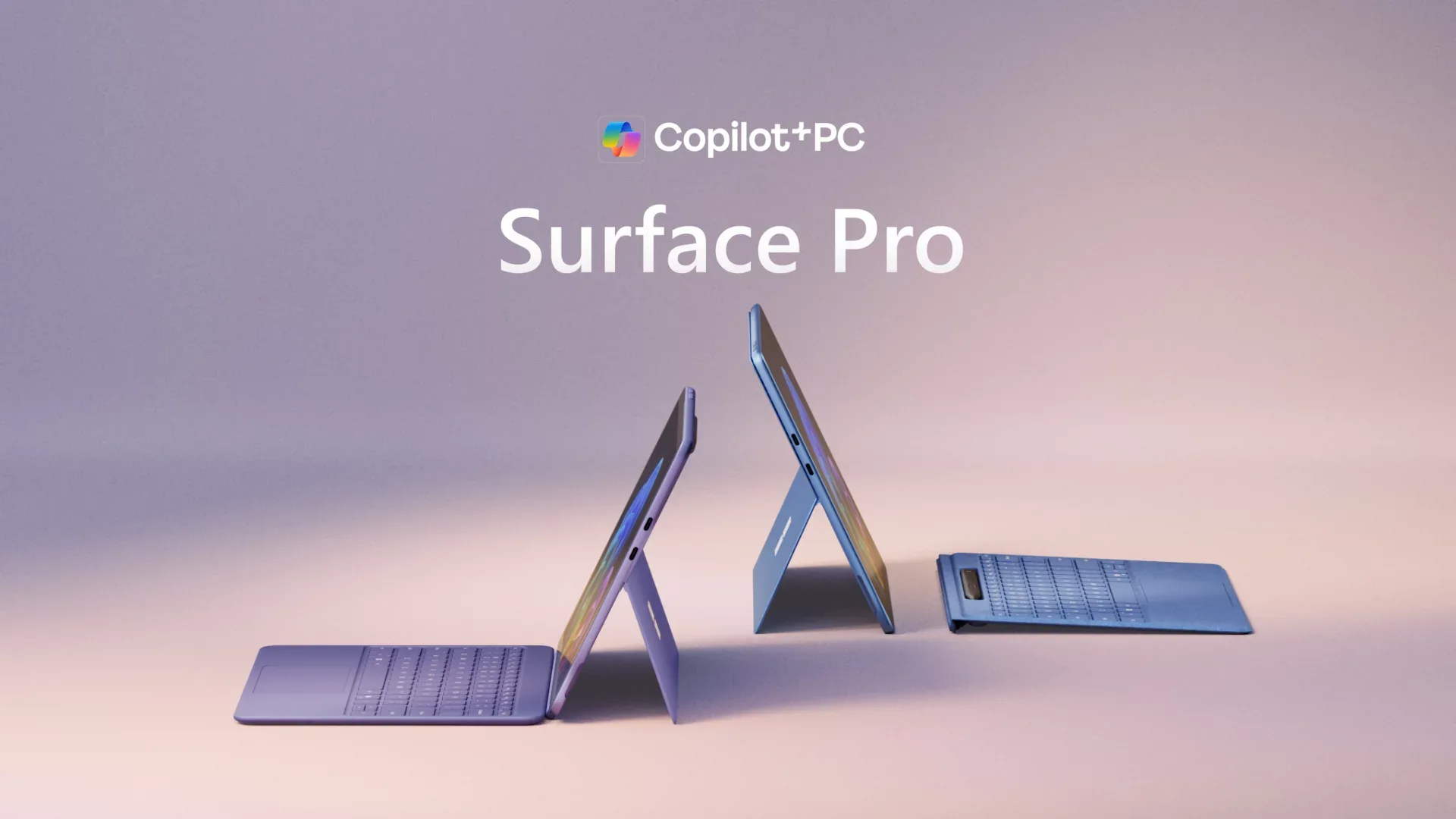
$1,299Best 2-in-1
Best 2-in-1
$1,299at Amazon
- Detachable keyboard converts from laptop to tablet instantly
- 12.3-inch PixelSense display ideal for note-taking and annotation
Tablet portability with full laptop power
The Surface Pro 9 is ideal for note-heavy majors or students who want one device that works in class as a tablet and at the desk as a laptop. The slim form factor and optional 5G make it the ultimate portable college companion.
Read the full Microsoft Surface Pro 9 review →Pros
- Detachable keyboard converts from laptop to tablet instantly
- 12.3-inch PixelSense display ideal for note-taking and annotation
- 5G connectivity available — works anywhere without WiFi
Cons
- Type Cover keyboard sold separately ($149 extra)
- Less powerful than full laptops at the same price
Score Breakdown
Safety9.0Value8.3Ease9.2Quality9.1Specs
- Processor
- Intel Core i5/i7 or Microsoft SQ3
- Ram
- 8GB–32GB
- Storage
- 128GB–1TB SSD
- Display
- 13-inch PixelSense touchscreen
- Battery Life
- 12–15 hours
- Weight
- 1.94 lbs (tablet only)
- 4
9.0
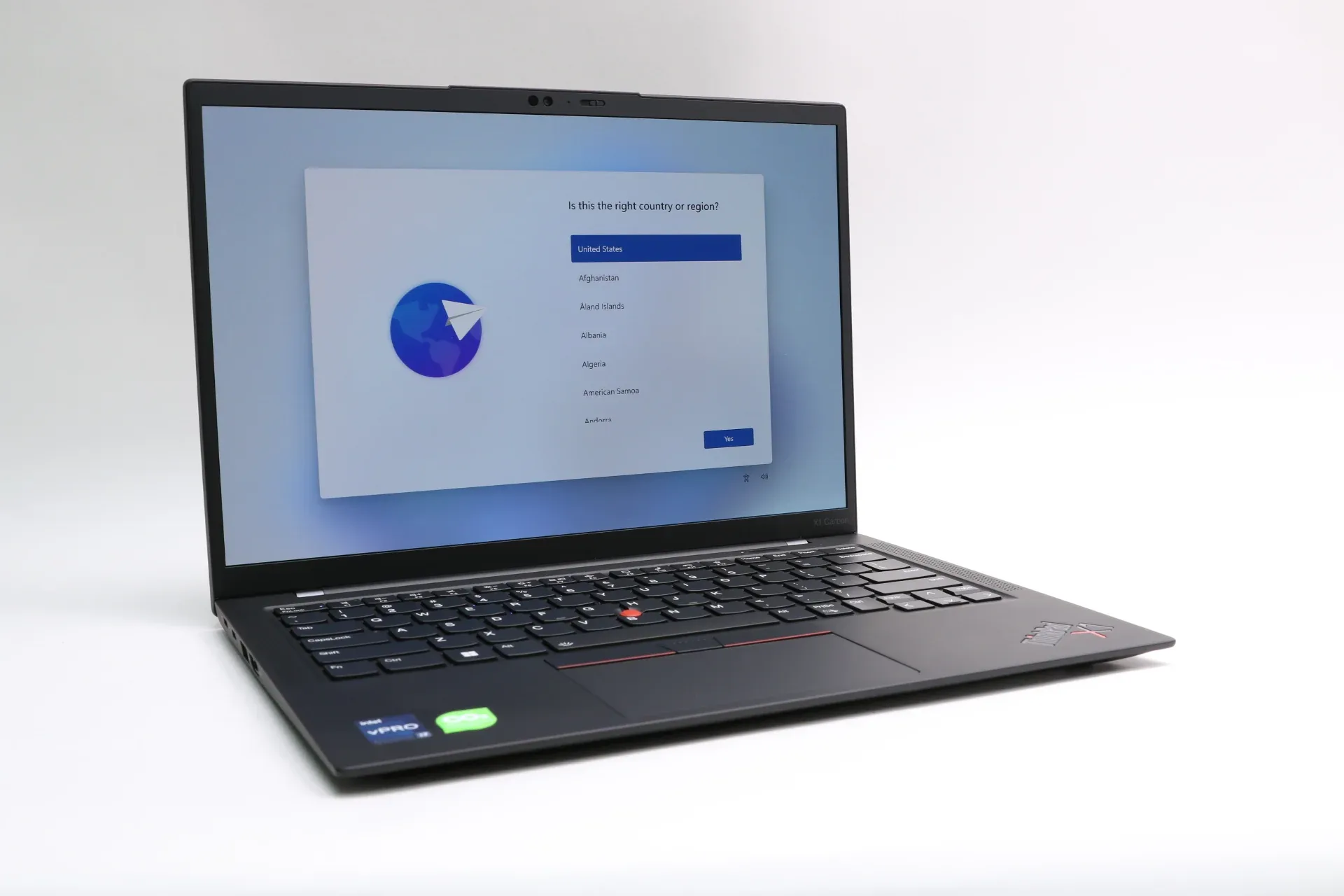
$1,379Best for Business Majors
Best for Business Majors
$1,379at Amazon
- Military-grade durability that survives any campus environment
- Best laptop keyboard in the business — period
The professional standard — built to outlast college and beyond
Finance, business, law, and economics students will find the ThinkPad X1 Carbon follows them seamlessly from college into a first job. Its legendary keyboard, military durability certifications, and professional pedigree make it an investment that lasts well beyond graduation.
Read the full Lenovo ThinkPad X1 Carbon review →Pros
- Military-grade durability that survives any campus environment
- Best laptop keyboard in the business — period
- Ultra-lightweight at 2.48 lbs despite large 14-inch screen
Cons
- Premium price for no GPU — limited for creative software
- No touchscreen on most configurations
Score Breakdown
Safety9.1Value8.6Ease9.0Quality9.4Specs
- Processor
- Intel Core Ultra 7
- Ram
- 16GB–64GB
- Storage
- 512GB–2TB SSD
- Display
- 14-inch IPS or OLED
- Battery Life
- 13–15 hours
- Weight
- 2.48 lbs
- 5
9.0
$849Best Value Premium
Best Value Premium
$849at Amazon
- 2.8K OLED display at under $900 — remarkable for the price
- AMD Ryzen 7 handles college workloads efficiently
OLED display and all-day battery under $900
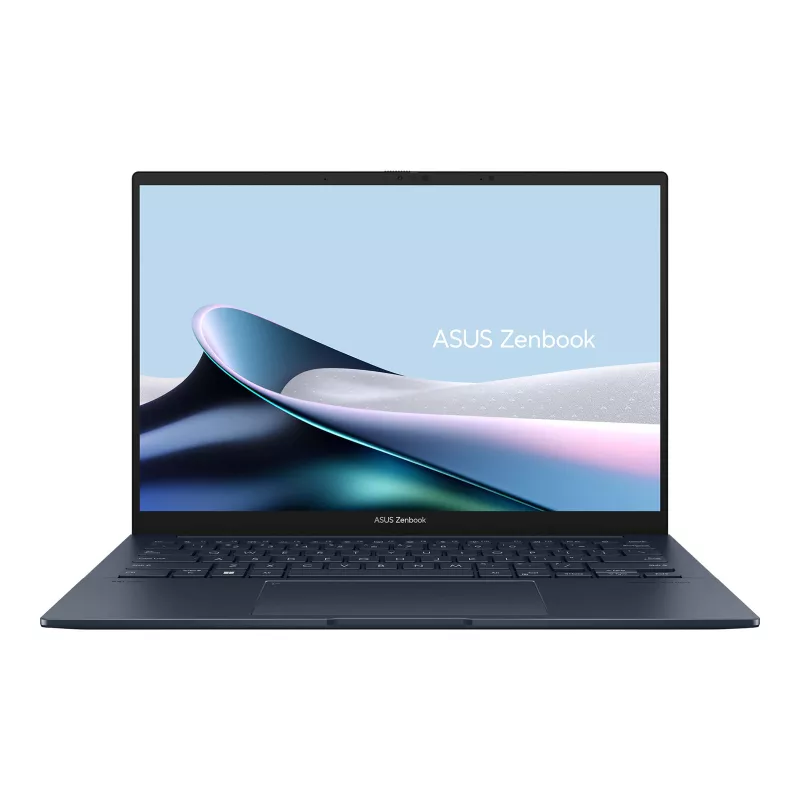
The ASUS ZenBook 14 OLED delivers a stunning display and solid performance at a price that leaves budget for textbooks. For students who want a premium-feeling machine without MacBook prices, this is the best value option in 2026.
Read the full ASUS ZenBook 14 OLED review →Pros
- 2.8K OLED display at under $900 — remarkable for the price
- AMD Ryzen 7 handles college workloads efficiently
- Good battery life at 12–13 hours
Cons
- Not as premium-feeling as XPS or MacBook build quality
- RAM not user-upgradeable
Score Breakdown
Safety8.9Value9.5Ease9.1Quality8.9Specs
- Processor
- AMD Ryzen 7 7730U
- Ram
- 16GB
- Storage
- 512GB SSD
- Display
- 14-inch 2.8K OLED
- Battery Life
- 12–13 hours
- Weight
- 2.82 lbs
Laptops for College Buying Guide
Why does the college laptop deserve real research?
A college laptop is a four-year, every-single-day tool: lectures, papers, problem sets, streaming, and the 2am final-project render, carried across campus in all weather. Buy right and it disappears into student life; buy wrong and you’re paying again junior year. The decision factors are unglamorous — battery, weight, durability, the right OS for the major — and the best answer varies more by field of study than by brand loyalty.
What to look for
The major decides the machine
Engineering and CS programs sometimes require specific OS or horsepower; design fields lean into color-accurate displays; business and humanities need reliability and battery above all. Check the department’s recommendations before buying anything.
All-day battery, actually
A laptop that dies at 2pm owns an outlet-hunting student. Prioritize real-world battery life — the ranked machines run long — and remember battery degrades; buy headroom.
Weight you’ll carry
The difference between three and four-plus pounds is felt in every backpack mile across campus. Under ~3 lbs is the comfort zone unless the major demands workstation power.
Durability and warranty
Dorm life is hostile: drops, spills, cramming into overstuffed bags. Solid build quality plus a warranty (and possibly accidental-damage coverage) is cheaper than a mid-semester replacement.
Specs for year four, not year one
Buy enough RAM and storage that the machine is still comfortable senior year — skimping there is the classic false economy. Performance headroom ages into adequacy; entry specs age into frustration.
Student discounts, always
Education pricing, back-to-school bundles, and student-verified discounts knock real money off most ranked machines. Never pay sticker with a .edu address in hand.
Our shortlist of 5
- #1 MacBook Air M3 — Best Overall
- #2 Dell XPS 15 — Best for Power Users
- #3 Microsoft Surface Pro 9 — Best 2-in-1
- #4 Lenovo ThinkPad X1 Carbon — Best for Business Majors
- #5 ASUS ZenBook 14 OLED — Best Value Premium
Frequently Asked Questions
Mac or Windows for college?
Match the major first: some engineering and CS courses specify one (check the department), design fields tilt Mac, business runs happily on both. Absent a requirement, it’s ecosystem preference — battery life and build quality lead the Mac case; price flexibility, touchscreens, and ports lead the Windows case. Campus IT supports both everywhere; the wrong answer is buying against a department requirement you didn’t check.
How much should we spend on a college laptop?
The value band for a machine that lasts all four years runs roughly $850–$1,400 — the range our ranked picks occupy. Below that, corners get cut exactly where longevity lives (build, battery, RAM); far above it, you’re buying performance most majors never touch. Add the student discount, and consider putting saved money into an external monitor — the cheapest productivity upgrade in the dorm.
Is a tablet with a keyboard enough for college?
For note-taking-heavy, writing-light programs, a keyboard-equipped tablet can carry a surprising load — one ranked pick is exactly that convertible form. The honest limits: sustained writing marathons, multi-window research, specialized software, and file-system wrangling still favor a real laptop. Many students who start tablet-only end up two-device; if it’s one device, make it a laptop or a true 2-in-1.
Our Ranking Methodology
Laptops were evaluated on processing performance, battery life, build quality and portability, display quality, keyboard and trackpad, and value.
Learn more about how we test and score →